How to Manage Multiple Accounts Safely: Proxies, Fingerprints and Anti-Detect Browsers
Managing multiple accounts is part of everyday work for social media agencies, e-commerce sellers, affiliate marketers and data teams. The problem is that platforms don't like it when several accounts look connected. One shared IP address, one leftover cookie or one identical browser fingerprint can be enough to link your accounts, and when one of them gets restricted, the rest often follow.
The good news is that safe multi-account management isn't luck. It comes down to two things: giving every account its own device and giving every account its own IP. In this guide we'll explain how platforms detect linked accounts, how to choose and manage proxies for each account, and how an anti-detect browser like Incogniton together with IPOasis residential proxies keeps every account separate.
Why do platforms link multiple accounts?
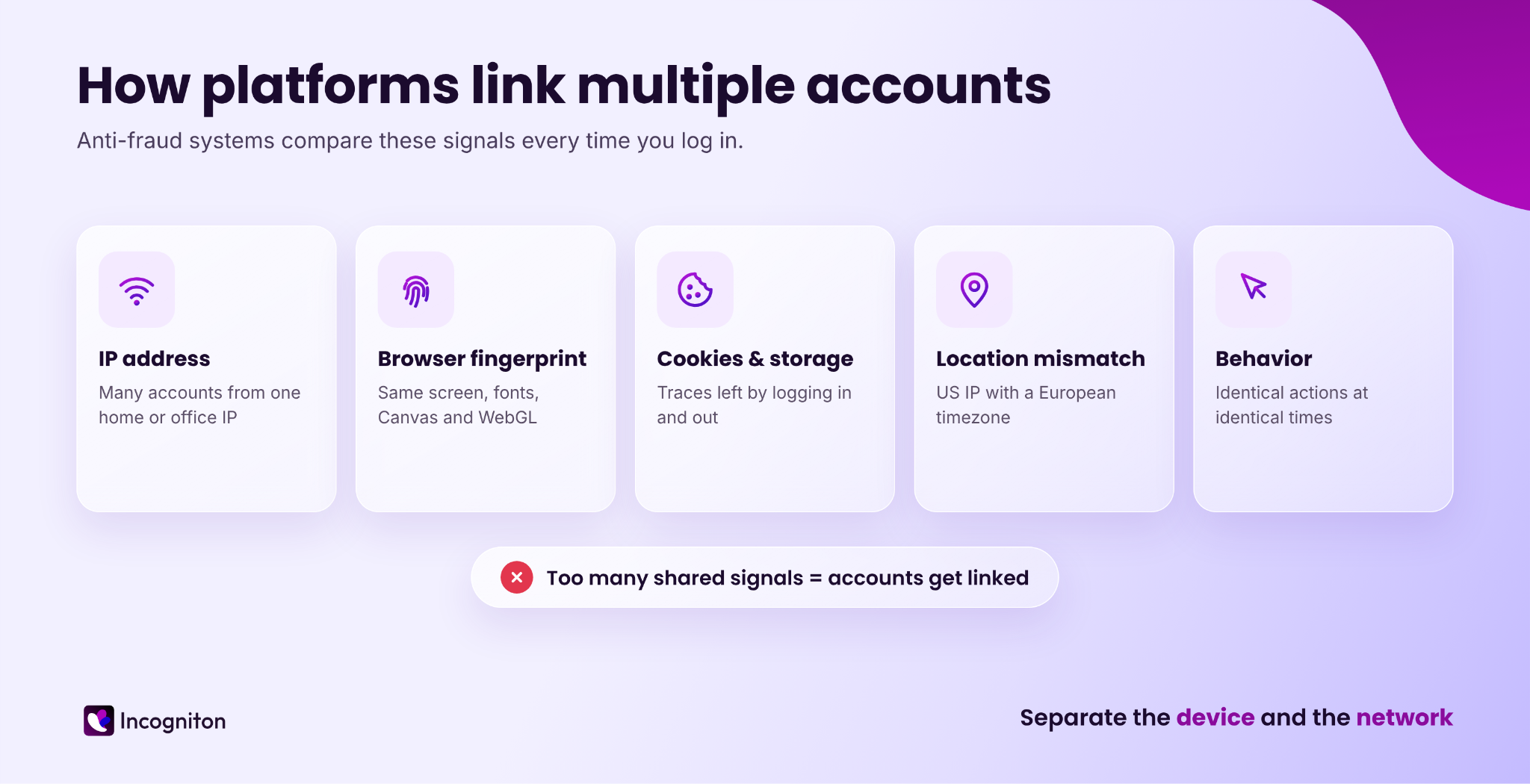
Social networks, marketplaces and ad platforms collect a lot of technical data every time you log in. When two accounts share too many of these signals, anti-fraud systems treat them as one person. The most common signals are:
IP address. The easiest one to check. Ten accounts logging in from one home or office IP are linked in seconds.
Browser fingerprint. Screen resolution, fonts, Canvas, WebGL, hardware, timezone, language and dozens of other parameters create a fingerprint that is almost unique to your device. A regular browser shows the same fingerprint to every account.
Cookies and local storage. Logging in and out of accounts in one browser leaves traces that connect them.
Location mismatches. An account that logs in from the US with a European timezone, or jumps between countries every day, looks suspicious on its own.
Behavior. Identical actions at identical times across accounts are another red flag.
A VPN or incognito mode doesn't solve this. A VPN changes the IP but leaves your fingerprint the same, and incognito mode only clears cookies after the session. To manage multiple accounts safely, you need to separate both the device and the network.
READ MORE: VPNs vs. Proxies: Deep Comparison
The rule of safe multi-account management: one account, one profile, one IP
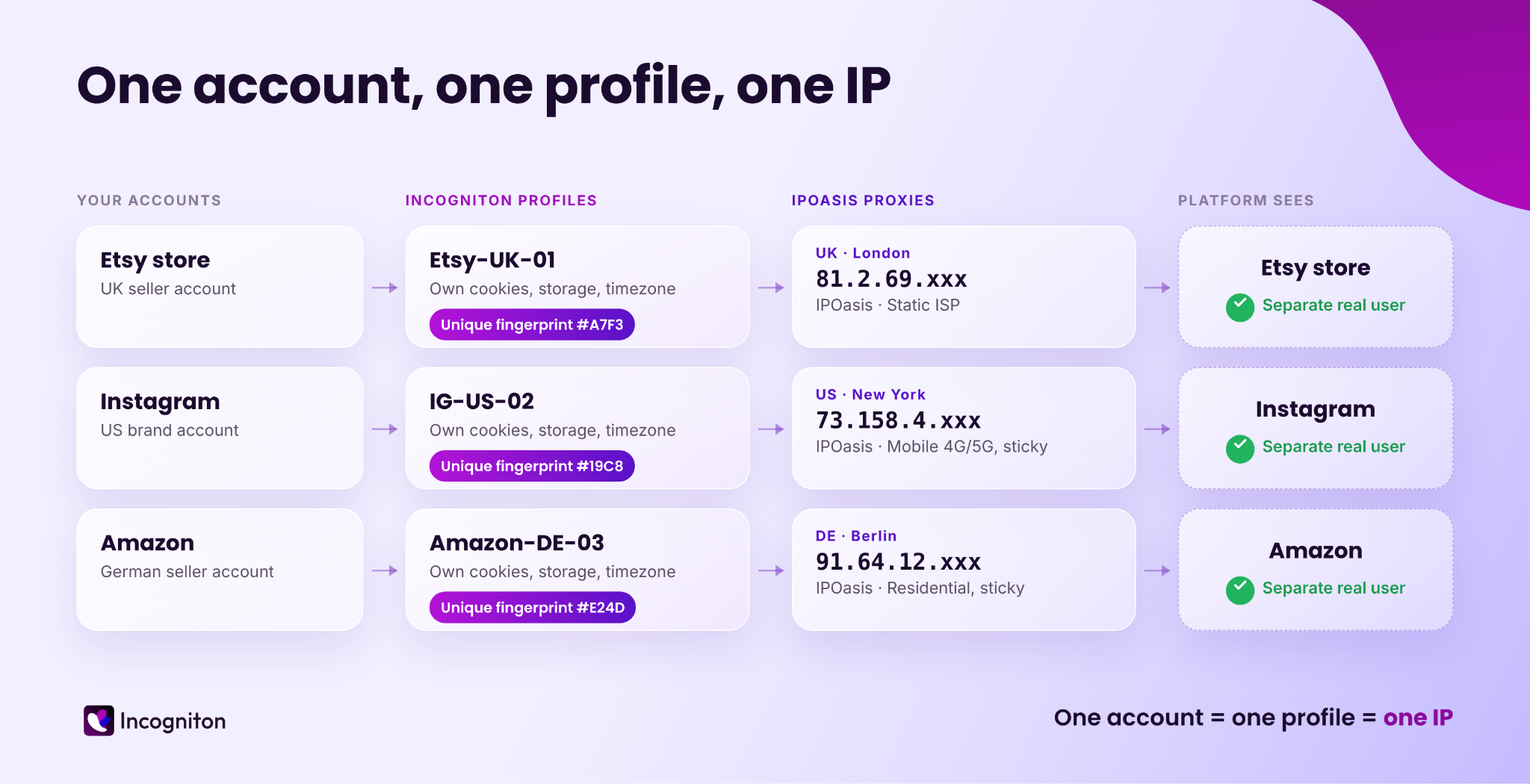
The simplest way to avoid account linking is to give each account its own isolated environment:
One browser profile per account. Each profile has its own fingerprint, cookies and storage, so nothing carries over from one account to another.
One proxy per account. Each profile connects through its own IP address, ideally from the country where the account is supposed to be.
One consistent identity. The fingerprint, IP, timezone and language of a profile match each other and stay the same over time.
When these three things are in place, every account looks like a separate person on a separate computer. That is exactly what an anti-detect browser and a good proxy provider are built for.
How to choose the right proxy for each account
Not all proxies are equal, and the right type depends on what the account does.
Residential proxies use IP addresses that internet providers assign to real households. Traffic through them looks like a normal person browsing from home, which makes them the default choice for social media, marketplaces and ad accounts.
Static ISP proxies combine a residential-looking IP with a fixed address that doesn't change. They are ideal for long-lived accounts that should always log in from the same place.
Mobile proxies (4G/5G) route traffic through mobile carriers. They fit mobile-first platforms like TikTok and Instagram, where most real users are on phones.
Datacenter proxies are fast and affordable, but platforms recognize datacenter IP ranges easily. They work well for scraping and monitoring, less so for sensitive accounts.
The other choice is between rotating and sticky IPs. Rotating proxies change the IP with every request or every few minutes, which is great for web scraping and price monitoring. Sticky sessions keep the same IP for a longer time, which is what you need when you log in and work inside an account.
READ MORE: Mobile vs Residential Proxies: Which One Should You Use?
IPOasis covers all four types: dynamic residential, static ISP, datacenter and 4G/5G mobile proxies. It offers more than 80 million residential IPs in 195+ countries, HTTP and SOCKS5 support, and targeting by country, state, city and ASN. Dynamic residential traffic never expires and starts from $0.78/GB with pay as you go pricing, which makes it easy to scale your proxy pool together with your accounts.
Proxy management best practices for multiple accounts
Buying good proxies is only half the job. How you manage them matters just as much.
Never share a proxy between accounts on the same platform. A shared IP links accounts even if their fingerprints are completely different.
Keep the location consistent. If an account was created in London, keep it on a London IP. Sudden country changes trigger security checks and verification requests.
Use sticky or static IPs for accounts, rotating IPs for data. An account that logs in from a new IP every few minutes looks unnatural.
Match timezone, language and geolocation to the proxy. A US IP with a German browser language is an easy mismatch to spot.
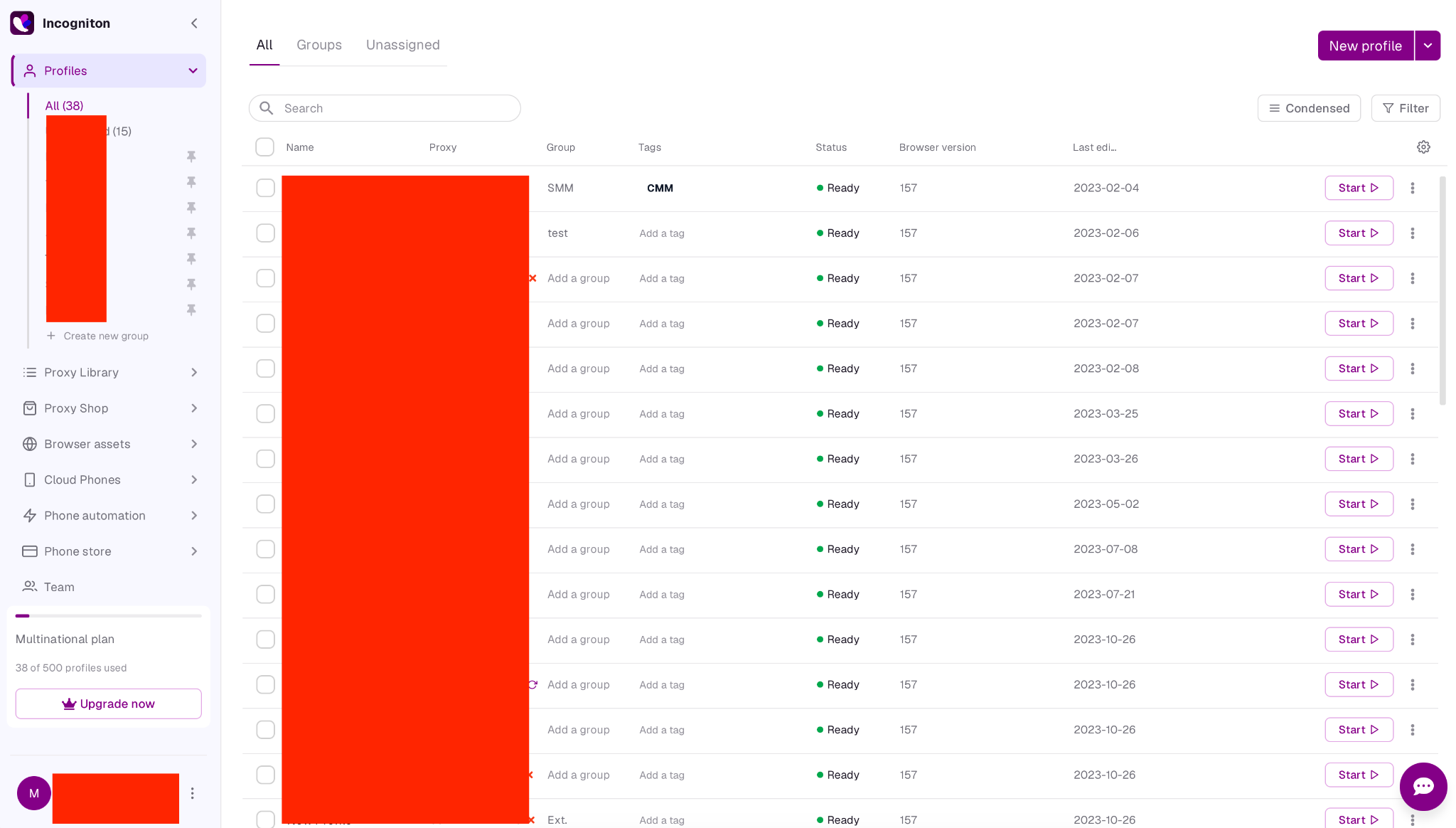
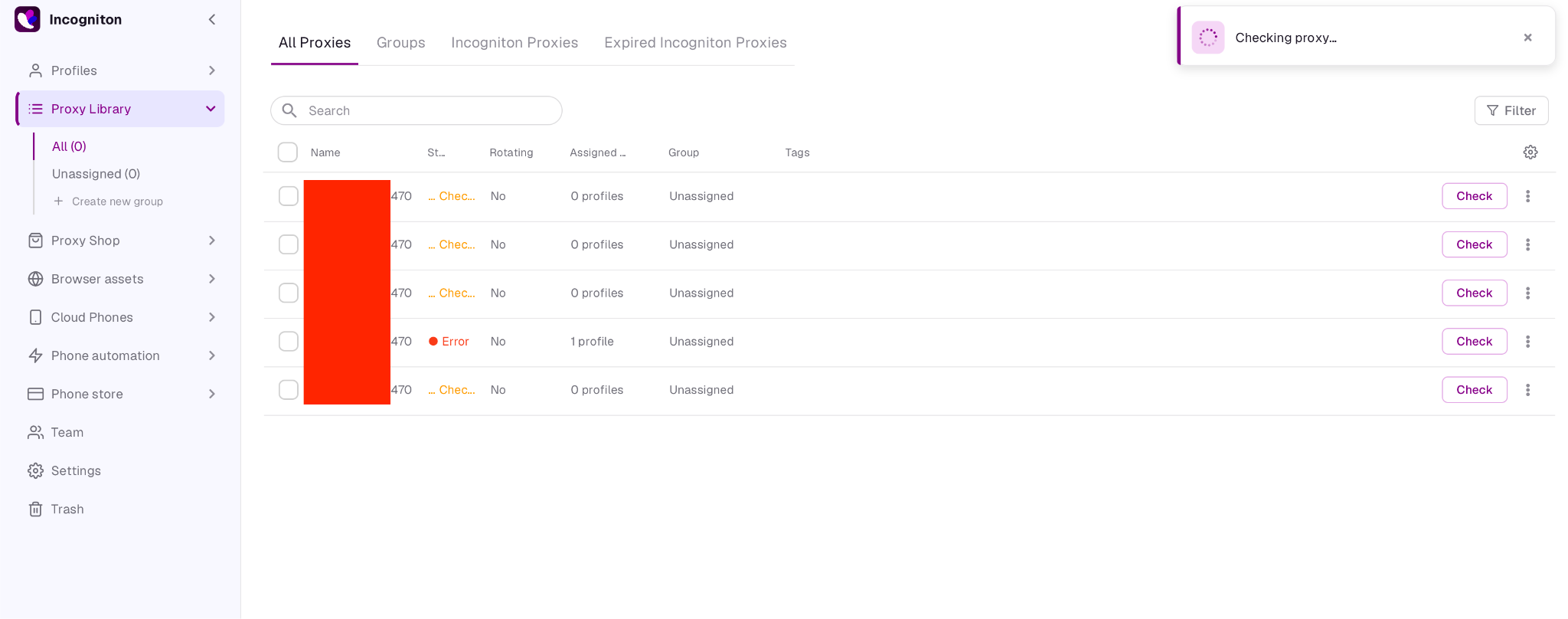
Keep your proxies organized. Name proxies and profiles in a clear way (for example "Etsy-UK-01") and keep them in one proxy library, so you always know which IP belongs to which account. In Incogniton's Proxy Library you can also open the list of profiles linked to a proxy, which is the fastest way to catch an IP that two accounts share by accident.
Check proxies before you log in. A dead or slow proxy can push you into logging in without protection. A quick proxy test shows the IP, location and response time in seconds.
Don't change what already works. Once an account is stable on a certain IP and fingerprint, leave it that way.
What is Incogniton?
Incogniton is an anti-detect browser built for multi-account management. It's made by WorkingGreen BV in Amsterdam, the Netherlands, and is used by more than a million people.
Instead of one browser with one identity, Incogniton lets you create many isolated browser profiles and manage them all from one window. Each profile has its own fingerprint, cookies, storage and proxy, and runs on a fresh Chromium core (Chrome 152 at the time of writing). The V5 release made the proxy side much easier to manage, which matters once you go past a handful of accounts.
Features that matter most for managing accounts and proxies:
Real device fingerprints. Profiles are built from real device data instead of random values, so every profile looks like a plausible, consistent device.
Proxy per profile. HTTP, HTTPS and SOCKS5 support, with timezone, language, geolocation and WebRTC IP filled from the proxy automatically.
Proxy Library and bulk tools. Add, edit and rotate proxies in bulk, assign them to profiles and import profiles from CSV.
Cookie Collector. Warms up new profiles with real browsing history before the first login.
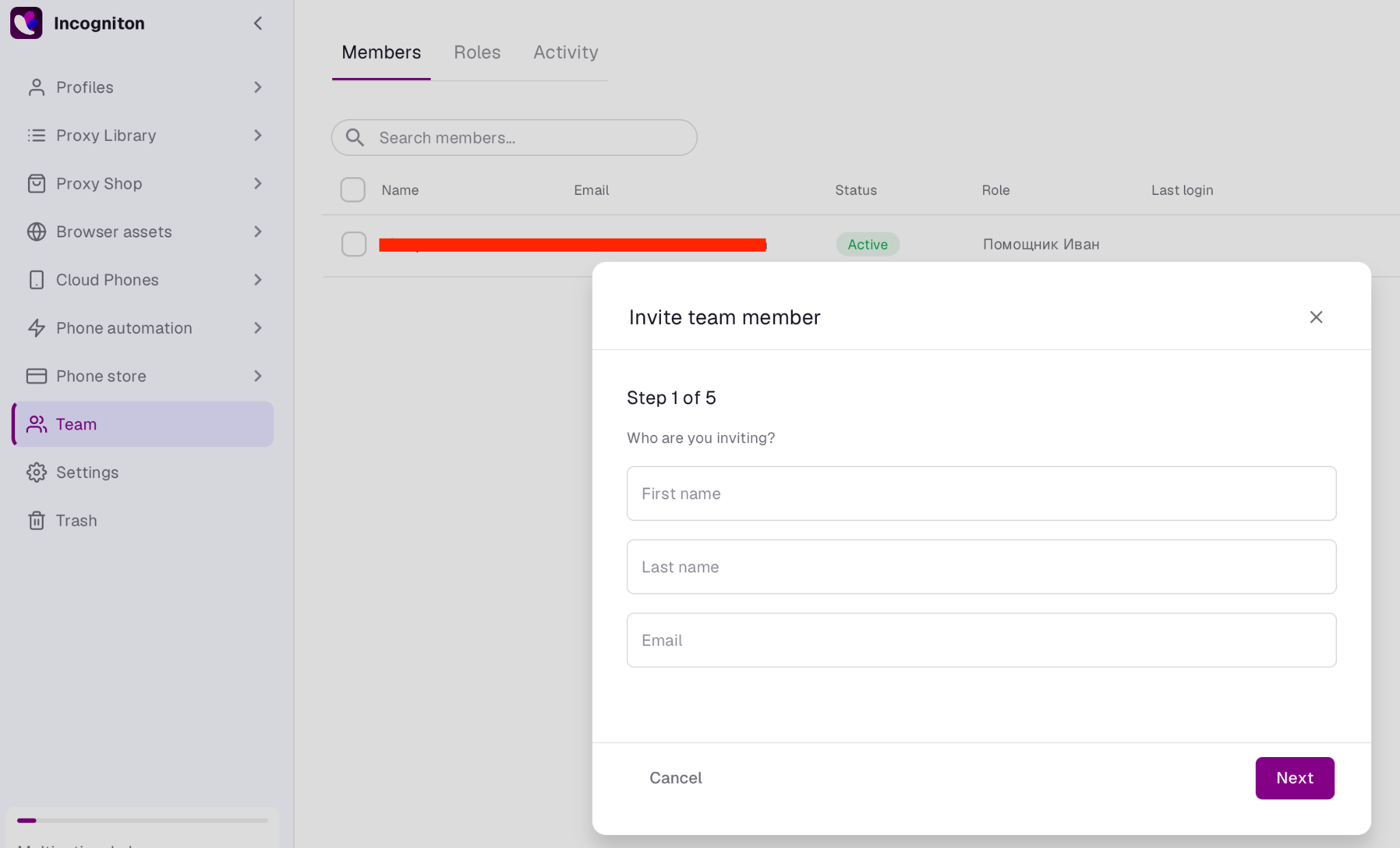
Team roles. Share profiles with teammates or VAs without sharing passwords.
You don't need to move all your accounts at once to see how this works. The free plan gives you 10 browser profiles for the first two months with no credit card, which is enough to move a few accounts, connect IPOasis proxies to them and see how the setup holds up in your daily work.
How to use IPOasis proxies with Incogniton
Connecting IPOasis to Incogniton takes a few minutes, and Incogniton's proxy integration guide explains every field if something looks unclear. First, sign up for Incogniton and install the app for Windows or macOS. In your IPOasis dashboard, choose the proxy type, location, session type and protocol, then generate a proxy and copy it in the host:port:username:password format.
In Incogniton, create a new profile and open the "Proxy" tab. Pick "Custom proxy", select the same protocol you chose in IPOasis (HTTP or SOCKS5) and paste the whole proxy line into the address field. Incogniton fills in the port, username and password for you. Click "Check" to see the IP and its country, then "Save".
Before launching, make sure the timezone, language and geolocation are filled based on IP and WebRTC is set to "Altered", so the profile fully matches the proxy. To add many accounts at once, use "Bulk add" in the Proxy Library or import profiles with their proxies from a CSV file.
If you're new to Incogniton, IPOasis readers can use the promo code "IPOASIS" to get 20% off the first payment.
Managing multiple accounts as a team
Many account-linking problems start when several people work on the same accounts. Passwords get sent in chats, people log in from their own computers and IPs, and accounts end up with a mix of devices and locations.
A better approach is to share browser profiles instead of passwords. In Incogniton you can give teammates roles like Manager or VA. A VA can launch a profile and work inside the account but never sees the login details, and the account always opens with the same fingerprint and the same IPOasis proxy, no matter who is working on it. The Team Activity tab shows who was online and when.
Common mistakes that get multiple accounts banned
- Logging in to several accounts from the same regular browser.
- Using one proxy for many accounts on the same platform.
- Using free or public proxies that are already blacklisted.
- Rotating IPs on accounts that should have a stable location.
- Leaving timezone and language from your real computer.
- Starting heavy activity on brand new accounts without warming them up.
- Sharing passwords with the team instead of sharing profiles.
Keep in mind that the right setup removes technical signals that link accounts, but it doesn't replace platform rules. Use anti-detect browsers and proxies for legitimate business, client and privacy needs.
FAQ
How do I manage multiple accounts without getting banned?
Give every account its own browser profile, its own proxy and a consistent identity. An anti-detect browser like Incogniton separates fingerprints, cookies and storage, and residential or static ISP proxies give each account its own IP.
Can I use one proxy for multiple accounts?
For accounts on the same platform, it's not recommended. A shared IP is one of the first signals platforms use to link accounts. For scraping tasks, sharing a rotating proxy pool is fine.
Are residential proxies better than datacenter proxies for multiple accounts?
Yes, in most cases. Residential and static ISP IPs belong to real internet providers, so they look like normal users. Datacenter IPs are faster and cheaper but easier for platforms to recognize.
Should I use rotating or sticky proxies for account management?
Use sticky sessions or static ISP proxies for accounts, so the IP stays the same while you work. Use rotating proxies for scraping and data collection.
Is a VPN enough to manage multiple accounts?
No. A VPN changes your IP, but your browser fingerprint and cookies stay the same, so accounts can still be linked.
Is Incogniton free?
Yes, there's a free plan with 10 profiles for the first two months and no card required. After that it drops to 3 profiles, and paid plans start at $19.99 per month.
Conclusion
Safe multi-account management comes down to separation. Each account needs its own device, its own IP and an identity that stays consistent over time.
Incogniton gives every account its own isolated browser profile, and IPOasis gives it a clean residential, ISP or mobile IP from the right location. Start with the free plan, connect a few IPOasis proxies and grow your setup one account at a time.