Why Is My ChatGPT Not Working? Region or Shared IP
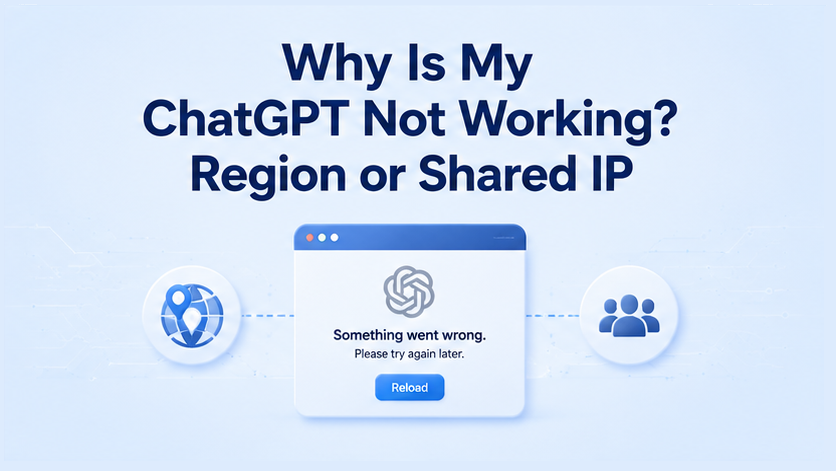
If you are asking why is my ChatGPT not working, open status.openai.com first. A fleet outage looks the same for everyone. If the page is green and only your session fails, what’s left is usually an unsupported country or too many accounts on one IP.
Key Takeaways
- A green OpenAI status page means the outage is not global.
- After that, two causes remain: unsupported country, or a shared IP.
- If the ChatGPT app, phone, and desktop all fail, it is still region or IP. Reinstalling the app will not help.
- Bind one account to one dedicated static ISP IP. A rotating pool makes “too many signups from the same IP” worse.
Is ChatGPT down, or is it just you?
When ChatGPT is not working for many people at once, it is an OpenAI outage, not your network. Open status.openai.com. If the banner lists an incident, wait. Do not switch IPs during a fleet outage. If it says “We’re fully operational,” this is not a global outage. Keep checking.
You can use this table first.
One retry is not an outage. Reload the status page, then test a second network. If both fail and the page is green, it’s not an outage. Keep going.
After status is green: unsupported country or shared IP
First open OpenAI’s supported-countries list. If your location is not listed, ChatGPT keeps failing until you are in a supported country. This article does not list workarounds for unsupported regions.
OpenAI also documents unsupported countries and territories. If the country is supported and you still ask why is my ChatGPT not working, it’s usually the exit IP. Datacenter ranges, cheap VPNs, and many accounts on one address look like abuse. OpenAI’s error-message guide already treats the network as a real cause, not just a bad password.
Check in this order.
- Confirm the country on OpenAI’s supported list. If your country isn’t listed, stop here.
- Compare the public exit IP on home broadband versus a known datacenter or VPN egress.
- Count how many ChatGPT accounts, signups, or automation workers share that IP.
- If several identities share one address, split them. Do not rotate the pool faster.
A rotating pool is the wrong default. ChatGPT logins need a stable ISP exit that does not hop mid-request. For logins, give each ChatGPT account its own static residential IP, one identity per IP. Within a billing cycle, you can keep the same stable ISP IP for 30 days. Renew before it expires to continue using the same IP.
Keep the ChatGPT identity on that same IP. Don’t share the same IP between scraping and ChatGPT logins. Scraping and monitoring can share a pool, but each ChatGPT account should use a dedicated IP. Mixing both on one IP is how “only my account fails” starts.
Before you blame a “dirty IP,” check whether the address is on public blocklists. Run it through IP blacklist check. A listing does not prove OpenAI blocked you. It does tell you the exit is already a shared or abused address.
Skip free proxies and shared VPN hops. Those exits are crowded and often look like datacenter ASN space.
App, phone, or crash: same checks
If the app dies, the phone fails, or ChatGPT crashes, run the same check: does another device still work? If another device on another network opens the same account, it’s local: cache, a broken build, or that device’s DNS. If every device fails while status.openai.com is green, you are back on region or shared IP. Reinstalling the app does not change the country list or the signup count on the exit IP.
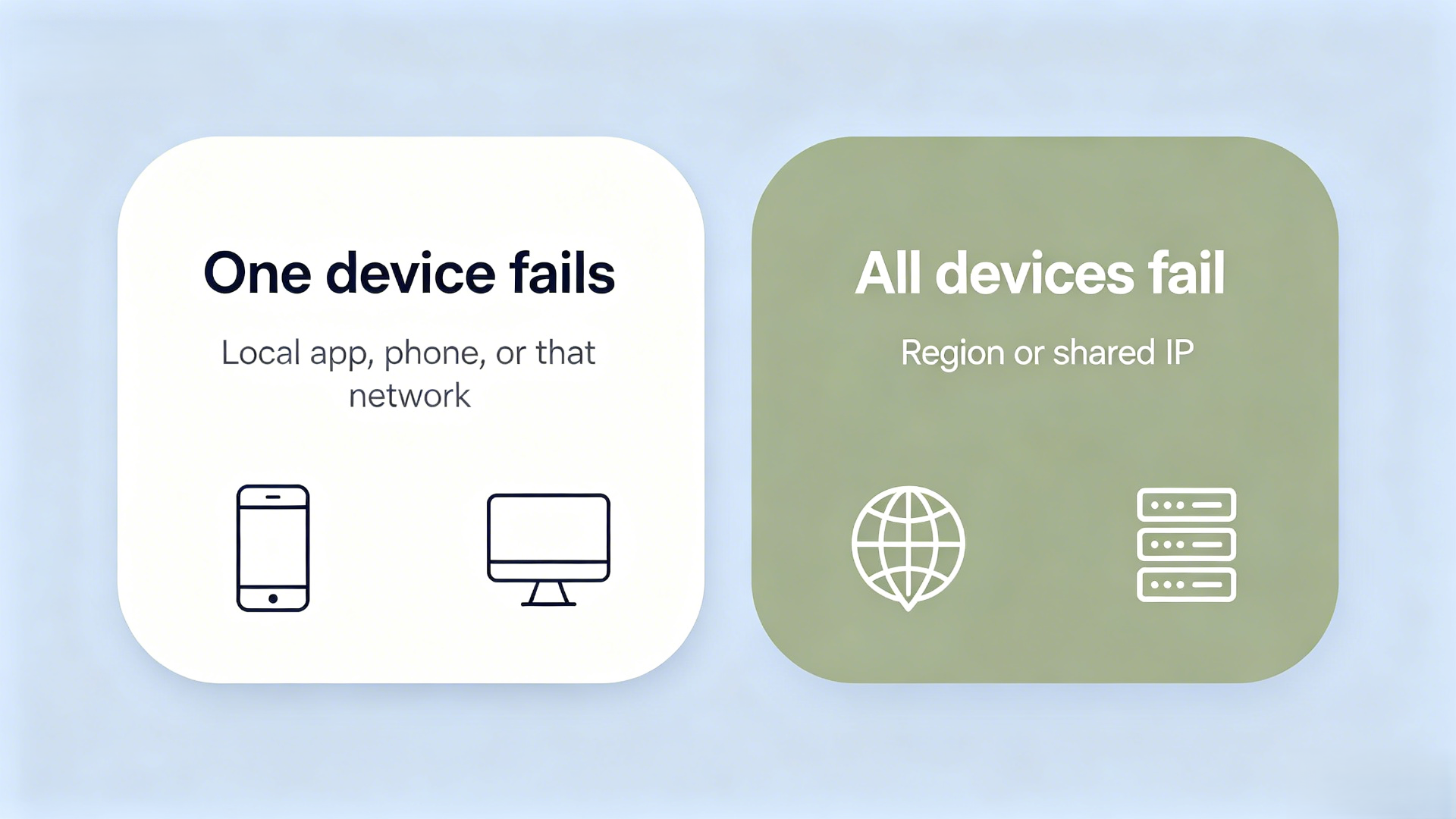
Use this table. If every device fails, it’s still region or IP. Clearing cache won’t fix that.
On a phone, switch cellular and Wi-Fi once. If both fail, the account or the exit is blocked, not the radio. If it broke after you landed, read OpenAI’s travel note. That page explains access after a border, and it is not a how-to for hiding the country.
What should automation teams change in the proxy setup?
Automation fails ChatGPT the same way humans do: many workers, one exit, fast retries. Change which IP each account uses, not the HTTP library. Give each account or worker a dedicated static ISP IP. Keep the session on that exit. Treat 403, 429, and “unsupported country” as different stops, not as a signal to rotate.
IPOasis static residential proxies fit this: one ISP IP, isolated per account. Do not put ChatGPT logins on a datacenter pool, and do not share one sticky port across a worker fleet.
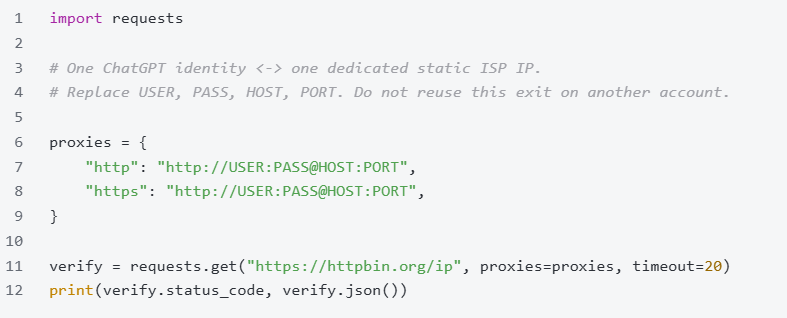
You should see HTTP 200 and the same public IP on every retry. If the IP changes, you are not on a static ISP line. If httpbin.org is blocked, use a checker you already trust and compare five requests.
Read the error before you add retries.
Assign one static IP per account and confirm it does not change across retries. Add cookies after that. A script that rotates every request recreates the shared-IP block you just diagnosed.
Frequently Asked Questions
Is ChatGPT down right now?
Open status.openai.com. If the banner reports an incident, ChatGPT is down for the fleet and you should wait. If it shows fully operational and only your session fails, it is not a global outage. Then check unsupported country versus shared IP, in that order.
Why is ChatGPT not working only on my account?
A green status page plus one failing account usually means that identity’s path is blocked. Typical causes are an unsupported country, a datacenter or VPN exit, or several signups on one IP. Test the same password on a second network. If both fail, fix region or IP, not the app.
Does a VPN fix “unsupported country”?
No. OpenAI decides support by its published country list, not by whether a VPN advertises another city. Many VPN exits are datacenter ranges and make ChatGPT less likely to work. If the country is unsupported, stop. A VPN is not a country change.
Why too many signups from the same IP?
OpenAI treats many registrations from one address as abuse prevention. Waiting, rebooting a home router, or hopping a VPN usually keeps you on a shared exit. Split each signup onto its own dedicated static ISP IP. The older walkthrough is how to fix too many signups from the same IP with ChatGPT.
Static vs rotating for ChatGPT accounts?
Use static ISP, one account per IP. Rotation is for spreading crawl traffic, not for a login that must look like one household ISP. If the IP hops, ChatGPT will see many networks behind one identity. So, a dedicated ISP IP is your perfect choice.
Why is ChatGPT not working on my phone but fine on desktop?
That split is local to the phone path: cellular versus Wi-Fi, app build, or DNS on that device. It is not proof of a global outage. Switch the phone to the desktop’s Wi-Fi. If the phone then works, fix the phone. If both fail, return to region or shared IP.
Can I use datacenter IPs for ChatGPT login?
Avoid them as the default. Datacenter ASN space is easy to group and is a common cause after a green status page. For one human or one automation identity, use a dedicated static residential IP. Keep datacenter capacity for jobs that do not need a long-lived account session.
Fix region first, then give each account its own IP
If ChatGPT still fails, read the status page first. A fleet incident is not your proxy. After the page is green, check the country list, then stop sharing one exit across accounts. Bind each identity to one dedicated static residential IP.
Start with a dedicated static residential proxy per ChatGPT account.