Screen Scraping vs Web Scraping: Differences and How to Choose
Screen Scraping vs Web Scraping: Differences and How to Choose
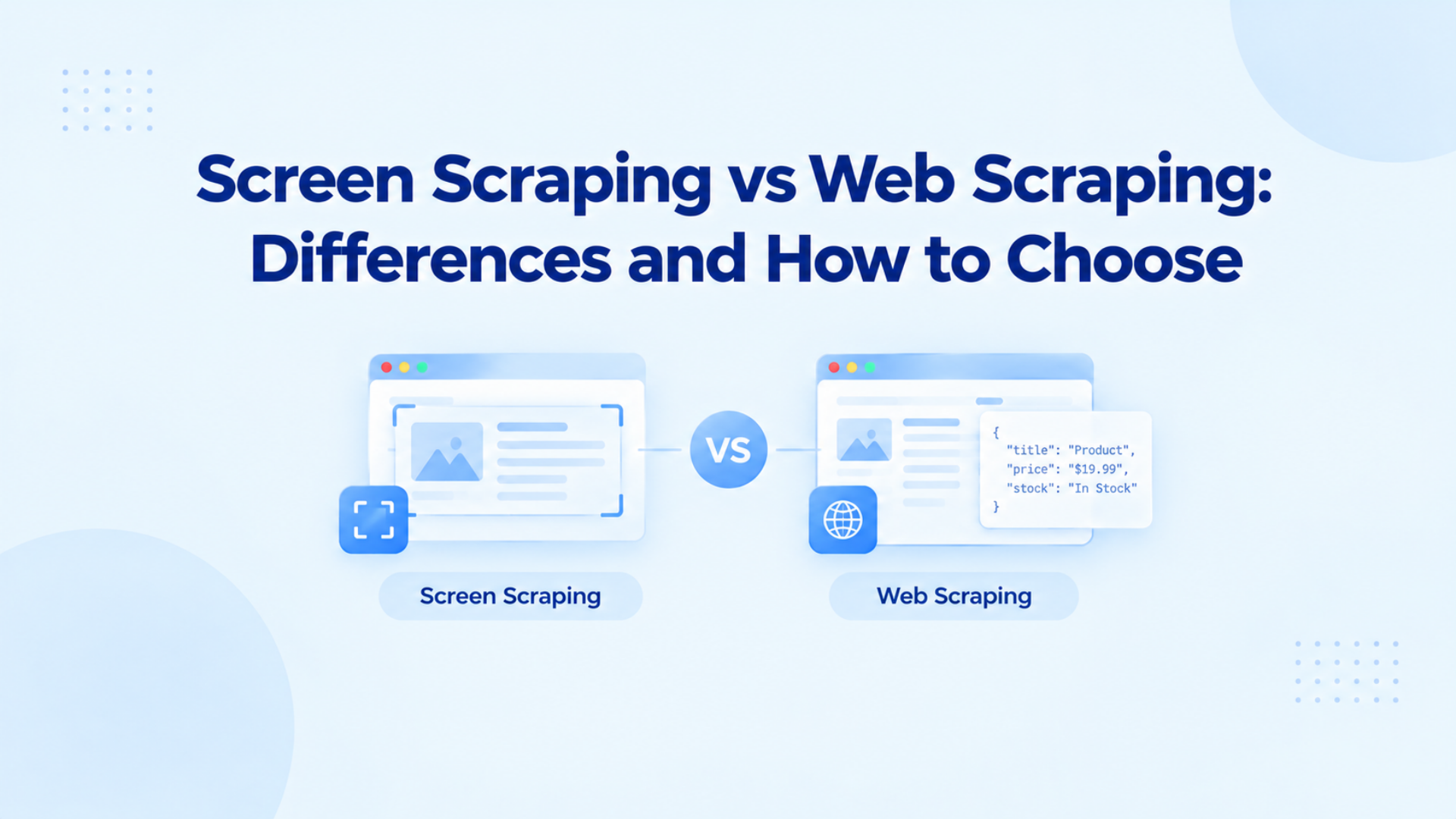
Screen scraping copies text from what a person sees on a screen. Web scraping reads the page code instead. If that text is already in the code, read the code. Copy the screen only when you can see the text and the code does not hold it.
What is screen scraping?
Screen scraping copies text from a display a person can already read, whether that display is a terminal, a desktop window, or a web page after it draws. You can still take the text when the app has no export.
Reading a terminal screen was how one system took rows of text from another. A desktop window is the same idea when a legacy app will not export.
On a website the same words can sit in the HTML, appear only after JavaScript runs, or exist only as pixels in a chart. A parser finishes in one request. A browser has to wait for the page to draw. OCR can miss a character when the font changes.
How does a screen scrape differ from web scraping?
A screen scrape copies the display. Web scraping reads the page code or a JSON response. On a plain product page both can return the same heading, and the parser is the stable one, because a layout change does not break it. On a chart or a desktop app the code has nothing to read, so the display is the only copy you can take.
When should you screen scrape a website?
Check the raw response before you open a browser. If the heading is already in the HTML, a parser stores it in one request. A browser is worth the wait only when scripts draw the text. OCR comes last, and only for pixels. A screenshot of a heading that is already in the code adds a render, and the copy breaks when the font changes.
books.toscrape.com puts All products in an h1, so a parser can store that string from the HTML. Open a browser on this URL only when you are testing the rendered-page pattern.
You run the check in this order.
- You open the URL once and save the HTML.
- You search that HTML for the text you need.
- You parse it when the text is there. A browser would only add time.
- You open a browser and read the DOM when the HTML is a shell and the text appears after scripts run.
- You OCR the pixels when the DOM is empty and the text is a chart or an image.
Python screen scraping for a rendered page
For a website, the Python script waits until the browser has drawn the page, then reads the heading from the DOM. You get the characters the page stored. A bitmap often garbles them. OCR is the fallback when that node does not exist.
On books.toscrape.com the heading is already in the HTML, so a parser is the shorter path. The script below is the pattern for a heading that appears only after the browser draws. On this URL it still prints All products. The proxy fields are placeholders. You swap in your own host, port, user, and pass. Chromium can launch through an HTTP proxy with that same shape.
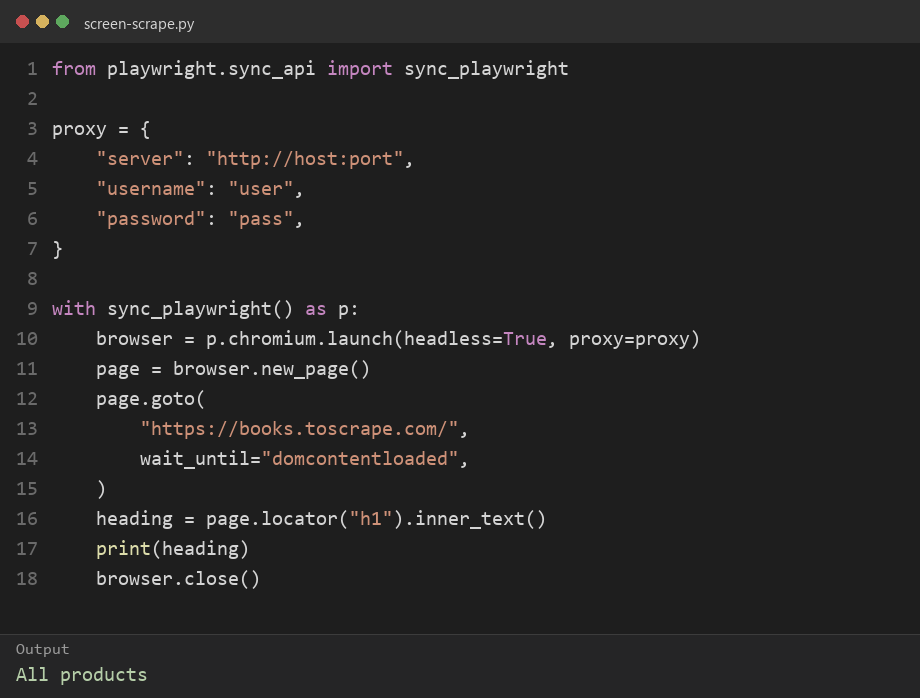
Expected print: All productsAll products comes back as text from the h1. A chart has no h1, so this script returns nothing and you switch to OCR.
Which proxy fits a rendered page?
A proxy on this job is the exit IP the browser uses when it opens the page. The site can score that IP, how often you repeat the path, and whether the client looks like a browser. A datacenter exit often fails on the first rendered URL. A new IP on every load also drops cookies the page just set.
A public page that exists only after render needs a residential exit, and that IP should stay for the one page job. Keep one residential IP for a rendered page. IPOasis dynamic residential is the fit. Traffic on it does not expire, the plan starts from $0.78/GB, and a sticky session holds the same IP for up to 120 minutes. When the job ends, the next page can take a new session.
A page you log into needs one dedicated IP for that account. A new IP on every page load looks like a new device, and the site can drop the session. A dedicated IP for that login is a static ISP plan, from $3.99/IP. An empty heading after HTTP 200 is a wait or a selector. A new IP will not fill the DOM.
If the text is already in the page code, keep the parser. A proxy still matters when the host blocks that request. A browser adds nothing on that path. A proxy setup for that HTML fetch is the longer version of that path.
When a proxy changes the result
The parser and the browser still fail for different reasons. A heading that is already in the HTML comes back on one request, until the host blocks that IP. A residential exit is what you change then. You keep the parser.
A heading that appears only after the page draws needs the browser to finish, and it needs the same IP for that one page. A new IP on the next load drops the cookies the page just set, so the text can disappear even though the selector is right. Keep one residential IP for a rendered page covers that case. OCR on a chart never sends that request, so a proxy does not change the characters.
FAQ
What is screen scraping?
Screen scraping is copying text from a display a person can read. The display can be a terminal, a desktop window, or a web page after it draws. You store that text. You do not need a private export from the app. On the web, you check the page code first. A screen scrape is the path when that code does not hold the text.
Is a screen scrape the same as web scraping?
A screen scrape reads what the display shows. Web scraping reads page code or a JSON response. The two overlap when a browser has drawn a page and the text is also in the DOM. They split when the text is only pixels, or when the HTML already has the field and a parser is enough.
When is OCR the right screen scrape?
OCR is the right screen scrape when the text exists only as pixels. A chart image, a scanned page, or a desktop window that will not expose text are the usual cases. A heading inside HTML is not one of those cases. A heading that appears after JavaScript runs is still text in the DOM. You read the DOM. OCR adds errors when the font or the layout changes.
Does Python screen scraping mean taking a screenshot?
Python screen scraping on a website usually means a browser script that waits for the page to draw and then reads the DOM. The Playwright example prints the h1 from a public practice catalog.A screenshot plus OCR is a different script, for images and charts. You match the script to where the text lives.
Which proxy should a rendered page use?
A rendered public page should use a residential exit, and that IP should stay for the one page job. A datacenter exit is a common first 403. A new IP on every load drops cookies the page just set. A login that belongs to you is a different choice: one dedicated ISP IP, the same IP, for that account. An empty DOM after a 200 is a wait or a selector, not a new IP.
Conclusion
If you want to know which method you should run first, run the check in order. If the text is in the page code, you read the code. If it appears only after the page draws, you open a browser and read the DOM on one residential IP for that job. If you can only see pixels, you copy the screen.