Static Proxy vs VPN: What's the Difference and Which Do You Need?
If you've compared a static proxy vs VPN and come away thinking they do roughly the same thing, you're not alone — both change the IP address a website sees. But they were built for opposite jobs. A VPN is designed to hide one person's traffic on an untrusted network, and it does that by putting thousands of users behind the same handful of server IPs. A static proxy does the reverse: it gives you one specific, ISP-assigned address that belongs to you and doesn't change. That difference — shared and temporary versus dedicated and permanent — is what decides whether a tool works for account management, ad verification, and localized testing, or quietly breaks them. This guide explains how each one works, where they genuinely differ, and how to tell which one your work actually needs.
What Is a Static Proxy?
A proxy is an intermediary. Instead of your request going straight to a website, it goes to a proxy server first, and the website sees the proxy's IP address instead of yours.
A static proxy adds one important property: the IP doesn't rotate. You are assigned a specific address and you keep it for the duration of your rental. Come back tomorrow, next week or next month, and you're still using the same address.
Static residential and ISP proxies use addresses assigned by internet service providers — the same kind of address a home or business broadband line gets — rather than addresses that belong to a cloud hosting range. Because the address is yours alone and doesn't change, the identity you present to a website stays consistent over time.
Typical work that depends on this:
- Managing business accounts that need a consistent, stable login location, which is what sticky sessions for account management are for.
- Verifying how your ads actually render to users in a specific region
- Market and price research where you need repeatable, comparable results
- Testing and QA of a site or app as it appears in a given location
- Long-running sessions and integrations where a changing IP would break the workflow
A static proxy is not a privacy product. It gives you a stable, location-specific network identity — that's the whole point.
What Is a VPN?
A VPN (Virtual Private Network) creates an encrypted tunnel between your device and a VPN server. Everything your device sends goes through that tunnel, and everything comes out at the VPN server's IP address.
Two things follow from that design.
First, it's device-wide. A VPN isn't set per browser or per application — it captures your whole machine. That's exactly what you want when you're on hotel Wi-Fi and don't want the local network reading your traffic.
Second, the exit IP is shared. Commercial VPNs run a limited number of servers and put a very large number of customers behind each one. Hundreds or thousands of people can be leaving through the same address at the same time. For a privacy tool, that's a feature — you blend into a crowd. For anything involving a business account, it's the core problem.
VPNs are the right answer for:
- Protecting your traffic on public or untrusted Wi-Fi
- Confidential remote work over an encrypted connection
- Keeping a local network or ISP from seeing which sites you visit
- General personal privacy on your own devices
Static Proxy vs VPN: The 6 Differences That Actually Matter
1. Dedicated vs. shared IP
This is the difference everything else hangs off.
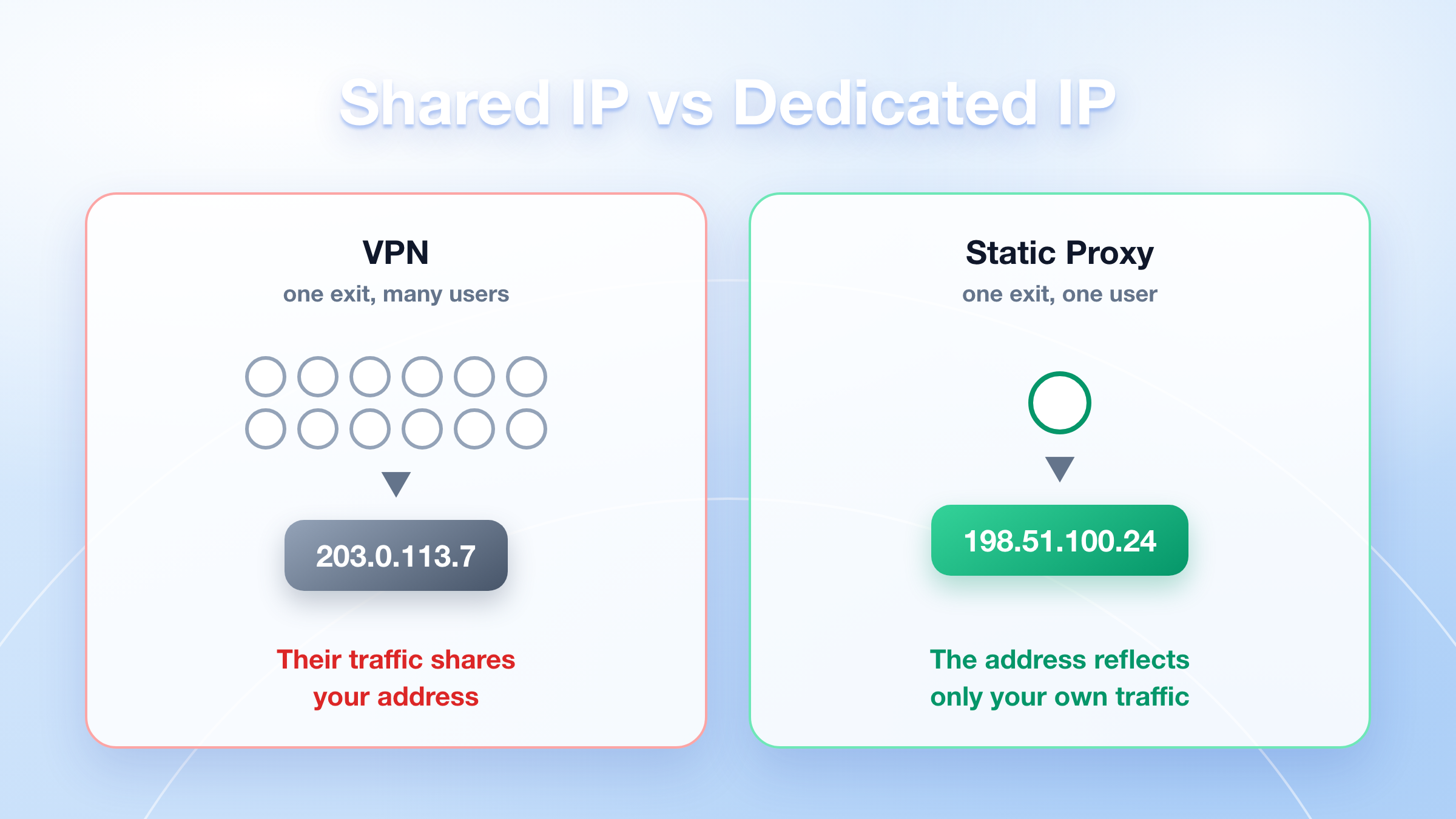
With a VPN, you share an exit IP with a large number of strangers. You have no idea what they're doing through it, and their behaviour is attached to the same address as yours. With a dedicated static proxy, the IP is assigned to you and nobody else uses it — the reputation of that address reflects only your own traffic.
If your work involves logging into accounts, this is not a small detail. It's the reason a VPN and a static proxy behave completely differently on the same task.
2. Where the IP comes from
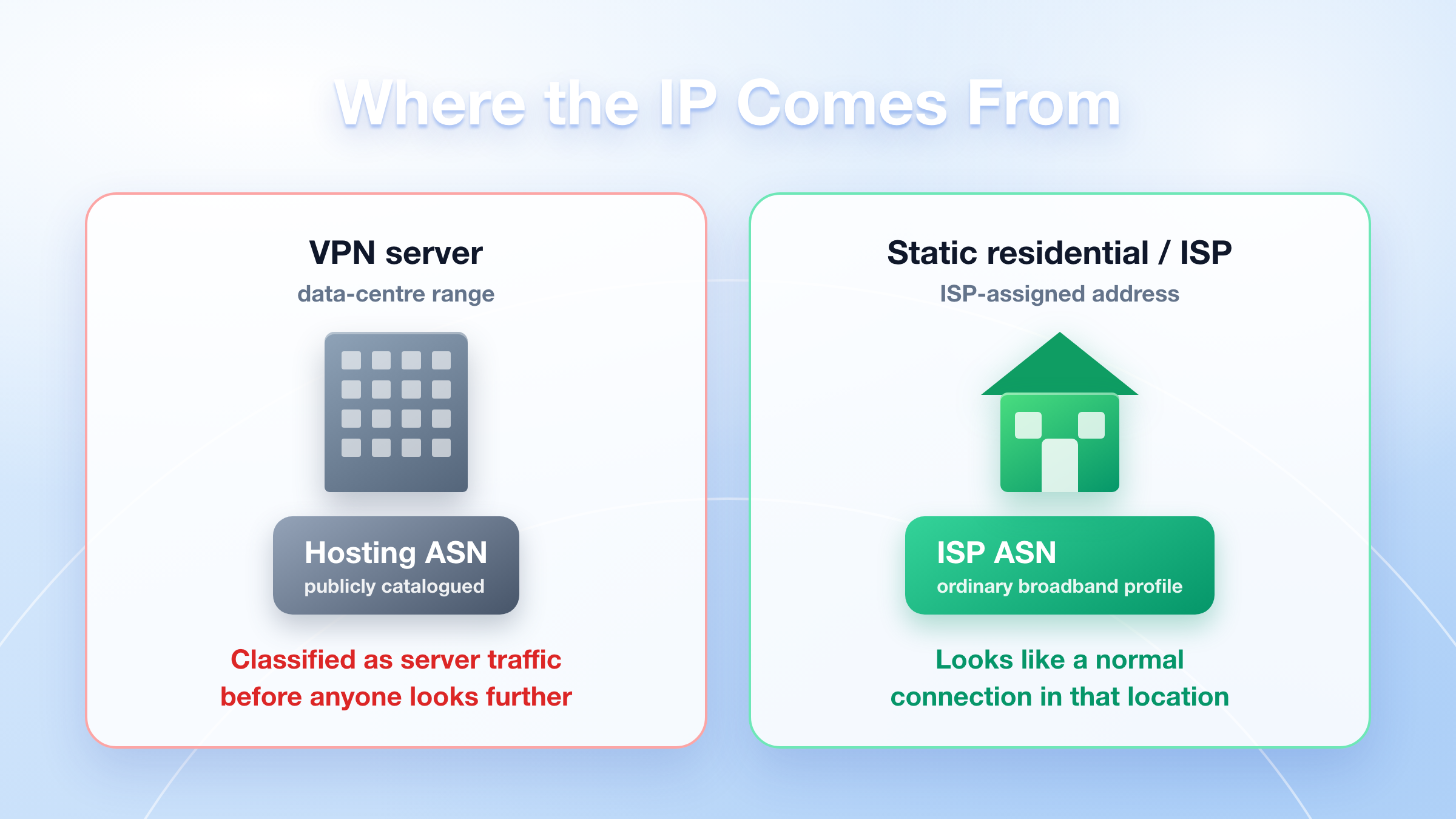
VPN servers are hosted in data centres. Their address ranges are publicly documented, commercially catalogued, and easy for any site to classify as hosting or VPN traffic. That classification happens before anyone looks at what you're doing.
Static residential and ISP proxies use addresses assigned by internet service providers. To the receiving site, the connection has the profile of an ordinary broadband line in that location rather than of a server rack.
3. How long the IP stays the same
VPN clients reconnect — after a dropped connection, a sleep/wake cycle, or a server switch — and you frequently come back on a different IP, sometimes in a different city. Most VPN apps also rebalance you across servers automatically.
A static proxy holds the same address across sessions, reboots and days. When your workflow assumes "this account always connects from this place," that consistency is the product.
4. What it covers: whole device vs. specific application
A VPN takes over the whole device. One tunnel, one exit IP, everything inside it.
A proxy is configured per application, per browser or per browser profile. Your other traffic is untouched. That's less convenient if you want blanket coverage — and far more useful if you need different tools, profiles or workspaces to have different network identities on one machine.
5. Encryption
Here's the honest version, because a lot of comparisons overstate it.
A VPN encrypts all traffic between your device and the VPN server. A standard proxy does not add its own encryption layer.
In practice, the gap is narrower than it sounds for ordinary business traffic: virtually every site you'd work with is HTTPS, so the contents of your requests are already encrypted end to end. What a VPN additionally hides from your local network and ISP is which sites you're contacting. That matters a great deal on untrusted Wi-Fi, and very little inside a normal office connection.
If your goal is confidentiality on a network you don't trust, use a VPN — a proxy is not a substitute. If your goal is a stable, location-specific IP for business work, encryption isn't the deciding factor.
6. Running several identities at the same time
A VPN gives your device one exit IP at a time. To present a second one, you disconnect and reconnect elsewhere — and you've now moved everything on the machine.
Proxies can be assigned per profile, so separate workspaces can each hold their own dedicated IP simultaneously, without interfering with each other. For anyone managing more than one business account, this is a structural difference, not a convenience.
Static Proxy vs VPN: Side-by-Side
When a Static Proxy Is the Right Tool
Choose a static proxy when your work depends on being consistently identifiable as the same user in the same place:
- Business account management. Accounts that expect a stable login location. A shared address that hundreds of other people also use — and that is classified as a VPN range — is the wrong foundation for this.
- Ad verification. Checking that your campaigns render correctly to real users in a target market, from an address that has that market's profile.
- Localized testing and QA. Seeing your site, pricing, and content exactly as a user in that region sees it, repeatably.
- Market and price research. Repeatable, comparable results over time, which a changing exit IP makes impossible.
- Long-running sessions and integrations. Anything that breaks when the source address changes mid-workflow.
When a VPN Is the Right Tool
Choose a VPN when the goal is protecting your own traffic:
- Working from public or shared Wi-Fi
- Confidential remote work where the connection itself must be encrypted
- Preventing a local network or ISP from seeing your browsing destinations
- General personal privacy across everything on a device
These are real needs, and a static proxy does not address them. If that's your situation, a VPN is the correct product and we'd tell you so.
IPOasis Is a Static Proxy Provider — Not a VPN
We get asked this often enough that it's worth stating plainly.
IPOasis provides static residential and ISP proxies for business use. We are not a VPN service. Concretely, that means:
What we do provide. Dedicated, ISP-assigned IP addresses with country, region and city-level targeting, held stable for the duration of your rental, routed through our own Gateway which handles authentication and routing for you. Each address is allocated to a single customer. Sourcing is done through large-scale upstream procurement and routed through infrastructure we built, so you get genuine ISP-assigned addresses without operating any of it yourself.
What we don't provide. There's no VPN client to install and no device-wide encrypted tunnel. We don't sell a consumer privacy product, and we don't market ourselves as one. You receive a host, port, username and password, and you configure them in the specific browser, profile or application that needs them.
Why the distinction matters to you. People arrive looking for "a VPN with a fixed IP" and what they actually need is a dedicated static proxy — the fixed part is the requirement, the tunnel isn't. Others genuinely need a VPN's encryption on an untrusted network, in which case we're not the right product and it's better to say so up front than to sell you something that doesn't fit.
Alongside static, we also run dynamic residential proxies for work that needs a large rotating pool instead of one fixed address — high-volume public data collection, broad geographic coverage, and cases where a changing exit IP is the goal rather than the problem. If you're not sure which side of that line you're on, our comparison of proxy types covers the rotating side in more depth.
Can a VPN Do What a Static Proxy Does?
Not reliably, and the reasons are structural rather than a matter of quality.
Some VPN providers sell a "dedicated IP" add-on, which solves the sharing problem. It does not solve the other two: the address is still in a data-centre range that's straightforward to classify as hosting, and the VPN still operates device-wide, so you can't hold several separate identities on one machine.
If what you need is a single, stable, ISP-assigned address that only you use — a VPN is working against its own design to deliver that. A static proxy delivers it by default.
The reverse is also true. A proxy won't encrypt your traffic on hotel Wi-Fi. These are two tools for two jobs, and plenty of teams run both: a VPN on company laptops for connection security, static proxies for the business workflows that need a fixed location.
How to Choose: A Quick Guide
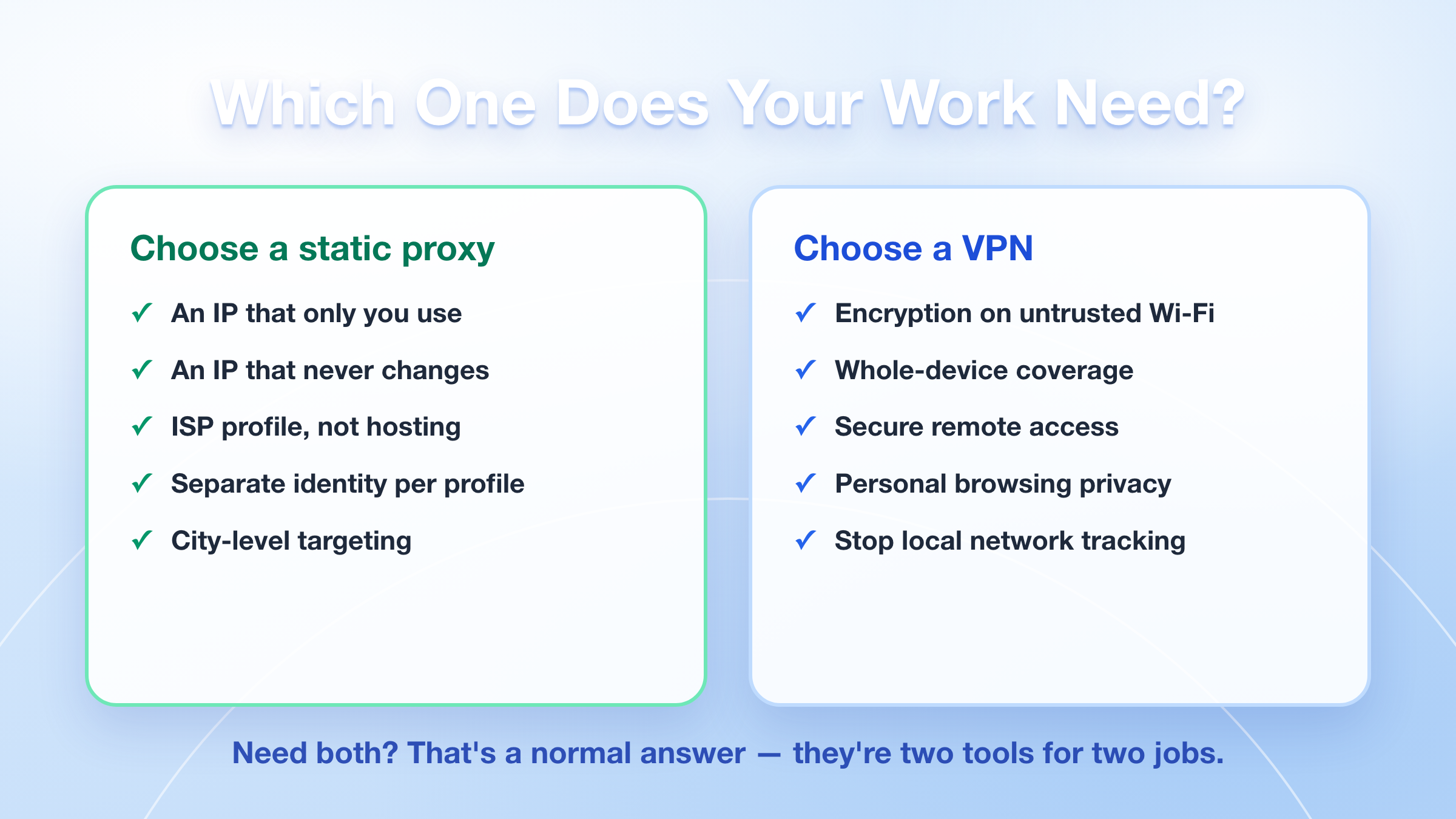
Choose a static proxy if you need:
- An IP that only you use
- An IP that doesn't change between sessions
- An address with an ISP profile rather than a hosting profile
- Different network identities for different profiles on one machine
- City or region-level targeting for testing, verification or research
Choose a VPN if you need:
- Encryption of all traffic on a network you don't trust
- Whole-device coverage without configuring individual apps
- Secure remote access to internal company resources
- Personal browsing privacy from your local network or ISP
If you find yourself wanting both, that's a normal answer — they're not competing products.
Frequently Asked Questions
Is a static proxy the same as a VPN with a fixed IP?
No. A dedicated-IP VPN solves the sharing problem, but the address still sits in a data-centre range and the VPN still applies to your entire device. A static residential or ISP proxy gives you an ISP-assigned address and is configured per application, so separate profiles can each hold their own IP.
Does a static proxy encrypt my traffic?
It doesn't add its own encryption layer. In practice most traffic you'd send is HTTPS and already encrypted end to end, but if your requirement is hiding your activity from an untrusted local network, use a VPN — a proxy is not a replacement for that.
Why do platforms treat VPN IPs differently?
Two reasons: VPN exit addresses belong to publicly documented hosting ranges, and a large number of unrelated users share each one. A dedicated ISP-assigned address has neither property.
Will a static proxy stop my account from being restricted?
No tool can promise that, and you should be sceptical of anyone who does. A dedicated, stable, ISP-assigned IP removes one common source of problems — a shared address with a history you don't control. Account outcomes also depend on how the account itself is set up and operated, which is outside any proxy's scope.
Can I use a VPN and a static proxy together?
Yes, and it's a common setup. The VPN secures the device's connection; the proxy provides the specific exit IP for the application that needs it. Just be aware that chaining them adds latency, and test the combination before relying on it.
How long do I keep the same IP?
For the duration of your rental period. That's the defining property of a static product, as opposed to a dynamic residential proxy where rotation is the intended behaviour.
Can I choose a specific country or city?
Static proxies support country, region and city-level targeting. Coverage varies by location and availability changes over time, so it's worth confirming the specific region you need before you commit.
Static or dynamic — which should I get?
If you need to look like the same user in the same place over time, static. If you need to spread a high volume of requests across many addresses, dynamic residential. The deciding question is whether a changing IP would break your workflow or help it.
Getting Started
The practical way to settle a static proxy vs VPN question is to test against your own workflow rather than a spec sheet. Start with a small number of IPs in the region you actually care about, run the task you actually need to run, and check whether the results hold up over several days — stability over time is precisely what a static product is for, and a single afternoon won't show it.
IPOasis runs static residential and ISP proxies on a self-built Gateway with country, region and city-level targeting, dedicated allocation, and a dashboard and API for managing them. If you're not sure whether static or dynamic fits your case, tell us what you're trying to do and we'll tell you which one applies — including when the answer is neither.
(For current pricing and regional availability, see the live rates on the IPOasis site.)