Proxy Checker: Free Online Tool to Test, Validate & Analyze Proxies
When a proxy stops working mid-scrape, delivers wrong geolocation data, or gets flagged as a known datacenter IP, you're usually flying blind. A proxy checker solves that problem — it gives you immediate, accurate data on whether a proxy is alive, how fast it is, where it resolves to, and whether it'll actually pass as a legitimate connection on the platforms you're targeting. This guide explains what proxy checkers test, how to use one efficiently, and how to interpret results to make decisions that improve your success rate.
What Is a Proxy Checker?
A proxy checker is a tool that validates proxy connections and returns diagnostic data about them. You input a proxy address (or a list), the tool sends test requests through each one, and you get back results covering connectivity, response time, IP location, anonymity level, and IP type.
Think of it as a health check for your proxy infrastructure. Before deploying proxies in any workflow — scraping, account management, ad verification — a proxy checker tells you which ones are actually functional, which are too slow to be useful, and which might get you flagged before you've even started.
Why You Need a Proxy Checker
Real Problems That Proxy Checkers Solve
Proxies that aren't connecting. A proxy that times out or refuses connections wastes requests and breaks workflows. Identifying dead proxies before deployment is basic housekeeping.
Slow response times killing scraping efficiency. A proxy with 8,000ms latency is functionally useless for high-volume data collection. Checking speed upfront lets you filter out sluggish proxies before they affect throughput.
Wrong geolocation. If your workflow requires a US residential IP and the proxy resolves to a datacenter in Germany, your geo-targeted requests return irrelevant data or get rejected. Proxy checkers verify that the IP actually resolves where the provider claims.
Getting blocked immediately. Datacenter IPs are aggressively blocklisted across e-commerce, social media, and ticketing platforms. If you're not verifying IP type before deployment, you may be sending datacenter traffic into workflows that require residential IPs — and wondering why your success rate is near zero.
Anonymity leaks. Some proxies pass identifying headers that reveal they're proxies, or leak your real IP through misconfiguration. Anonymity-level testing catches these before they become a problem in production.
What Should a Good Proxy Checker Test?
Not all proxy checkers test the same things. Here's what the metrics actually mean:
Latency / Response Time
Measured in milliseconds — the time between sending a request through the proxy and receiving a response. For scraping at volume, anything above 3,000ms starts creating throughput problems. Under 1,000ms is generally good for most use cases.
IP Geolocation
Where the proxy's IP actually resolves to — country, region, city, and ISP. This needs to match what your workflow expects. A tool that only shows country-level data is often insufficient for geo-targeted tasks that require city-level accuracy.
Anonymity Level
Proxy checkers typically report three levels:
- Transparent — The target server can see your real IP. These proxies provide no anonymity and should be excluded from any privacy-sensitive workflow.
- Anonymous — The target server knows a proxy is being used but can't see your real IP. Adequate for many tasks but flags you as using a proxy.
- Elite (High Anonymity) — The target server sees the proxy IP as a normal connection. No indication that a proxy is in use. Required for any workflow where proxy detection is a risk.
IP Type Classification
Whether the IP is residential, datacenter, or mobile. This is arguably the most critical check for platform-sensitive workflows. Major platforms maintain blocklists of known datacenter IP ranges — a proxy checker that identifies IP type helps you understand whether your proxy will pass muster on sites with strong anti-bot systems.

Connectivity Success Rate
For bulk testing, the percentage of proxies in a list that successfully connect. This gives you a quick quality signal about a proxy provider or pool.
Free Proxy Checker Tool
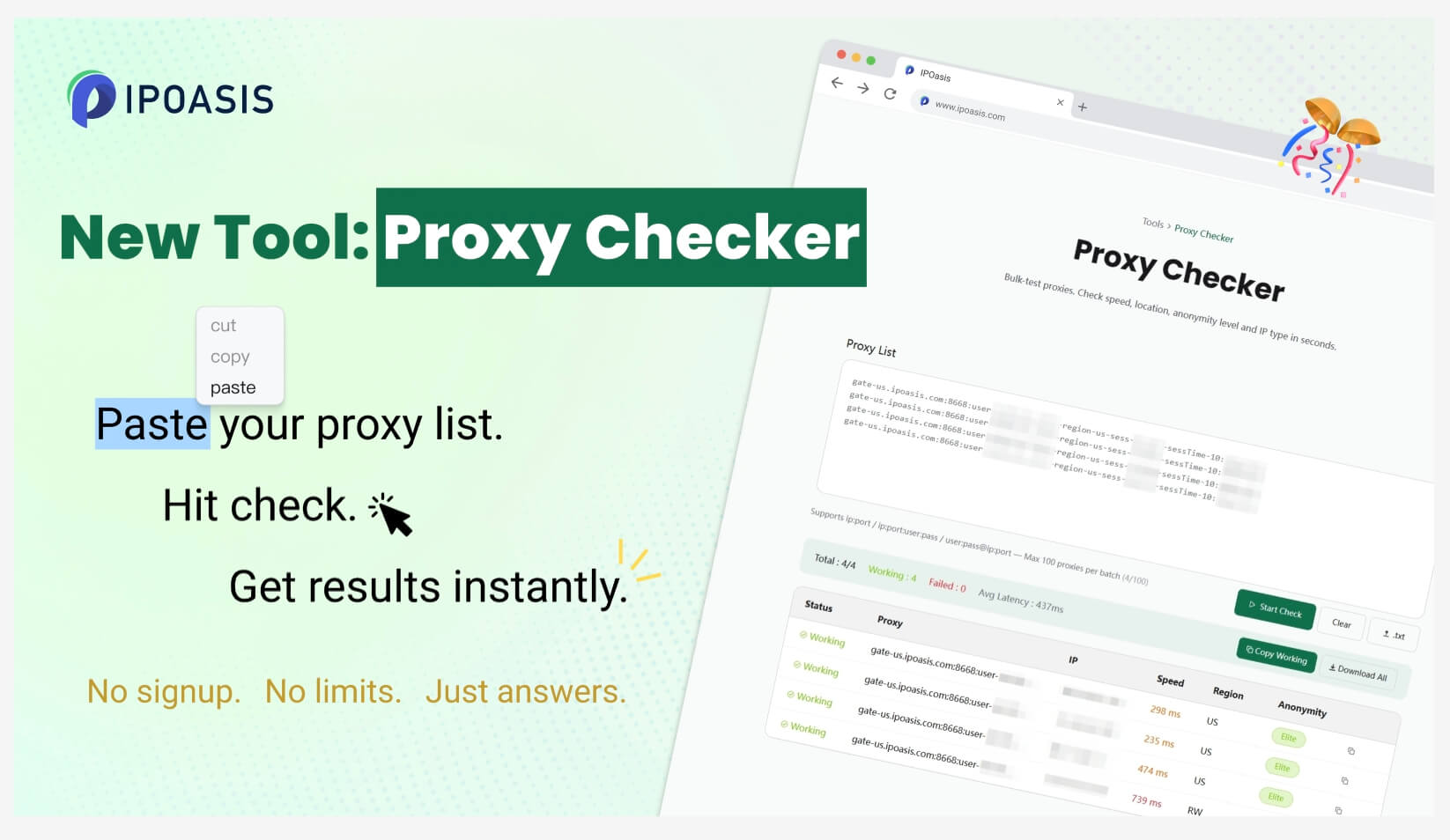
IPOasis offers a free proxy checker at ipoasis.com that handles the core validation requirements without requiring account creation.
Key capabilities:
- Bulk proxy testing — Paste a list and test multiple proxies simultaneously rather than one at a time
- Instant results — Results return in seconds, not minutes
- No signup required — Open the tool and run tests immediately
- IP type detection — Identifies residential vs. datacenter classification, not just connectivity
- Anonymity level reporting — Transparent, anonymous, or elite classification for each proxy
- Geolocation accuracy — Country, region, and city-level resolution for each IP
For quick validation before deploying a proxy list — or spot-checking a provider's quality claims — this covers the practical requirements without overhead.
How to Use a Proxy Checker: Step-by-Step
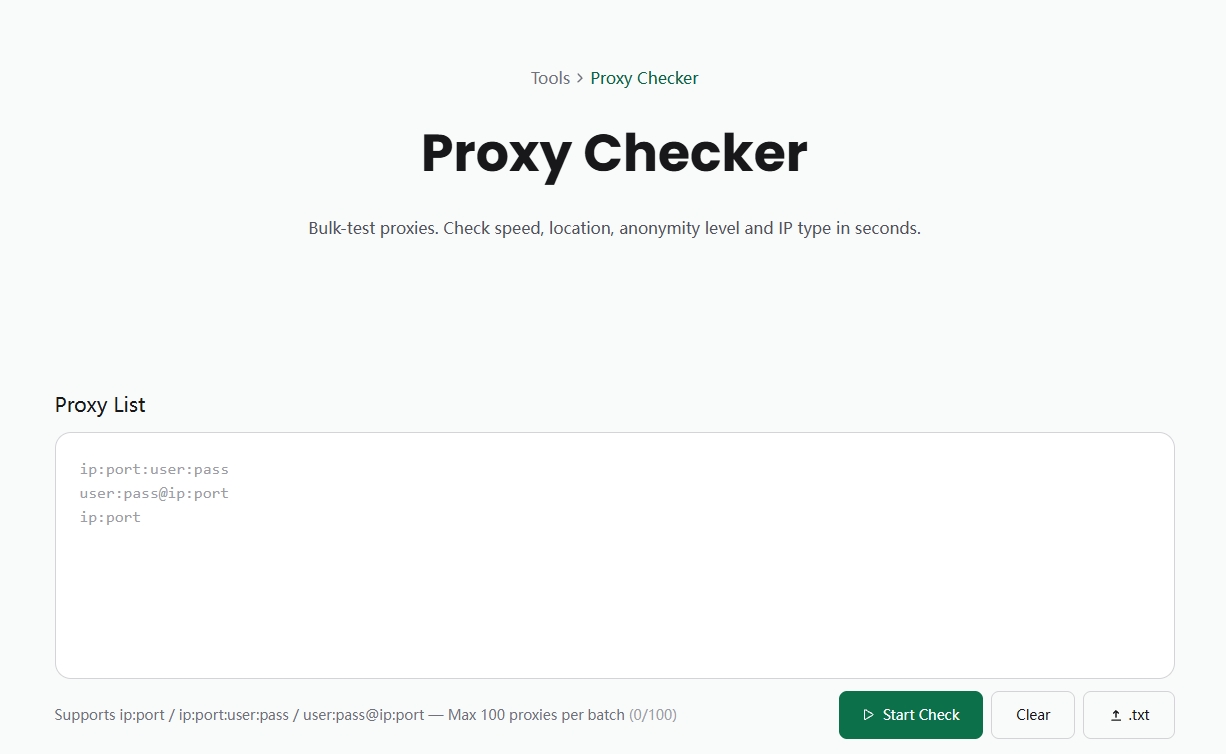
Step 1: Format Your Proxy List
Most proxy checkers accept standard formats:
ip:port:user:pass
user:pass@ip:port
ip:port
Standardize your list to one format before testing.
Step 2: Input and Run
Paste your proxy list into the checker, select the protocol (HTTP, SOCKS5), and start the test. For bulk lists, the tool runs checks concurrently — results typically begin appearing within a few seconds.
Step 3: Analyze Results
Look at each proxy's output across the key metrics:
- Status — Live or dead
- Latency — Filter out anything above your threshold (typically 2,000–3,000ms for scraping)
- IP type — Remove datacenter IPs if your workflow requires residential
- Anonymity — Filter out transparent proxies for any privacy-sensitive task
- Geolocation — Verify the country and city match your targeting requirements
Step 4: Export and Deploy
Export the validated list (live proxies that meet your criteria) and use it in your workflow. Discard the failed ones — there's no benefit to retrying proxies that consistently fail checks.
Common Proxy Issues and Fixes
Proxy not connecting Causes
Wrong IP or port, proxy has expired, wrong protocol selected, IP blocked at destination. Fix: Verify the IP/port format, confirm the proxy is active with your provider, check that protocol matches (HTTP vs SOCKS5), try a different target URL to rule out destination-specific blocking.
Very high latency Causes
Proxy server is geographically far from your target, server is overloaded, residential IP is on a slow home connection. Fix: Switch to proxies in closer geographic proximity to your target servers. For speed-sensitive workflows, ISP proxies (datacenter-hosted but ISP-registered) offer better throughput than typical residential.
Getting blocked immediately Causes
Datacenter IP in a blocklisted range, IP has abuse history, proxy anonymity is transparent. Fix: Verify IP type with a proxy checker. If the IP is flagged as datacenter, switch to residential or mobile proxies. If the IP passes type checking but still gets blocked, the specific IP may have a poor reputation history — rotate to a different one.
Wrong geolocation Causes
Provider's IP pool location doesn't match advertised location, proxy is using exit nodes in unexpected regions. Fix: Run a geolocation check on each proxy before deployment. Don't trust provider labels alone — verify with a checker.
Proxy leaking real IP Causes
Misconfigured proxy, transparent proxy type, WebRTC leaks in browser-based tools. Fix: Test anonymity level with a checker. Transparent proxies should be excluded entirely. For browser-based workflows, disable WebRTC to prevent leaks through that channel.
Proxy Checker Use Cases
Web Scraping and Data Collection
Before starting a large scraping job, validate the full proxy list. Filter by latency threshold and remove dead proxies. For target sites with strong anti-bot systems, verify IP type — residential proxies dramatically outperform datacenter on platforms like Amazon, LinkedIn, and major e-commerce sites.
Ad Verification
Ad verification requires viewing ads as they appear to real users in specific locations. Geolocation accuracy is the critical metric here. Use a proxy checker to confirm that each proxy resolves to the correct city and ISP before running verification workflows.
Social Media Automation and Account Management
Social platforms correlate accounts using IP signals. A proxy checker that identifies datacenter IPs helps you avoid assigning flagged IPs to accounts. For account management, residential IPs verified as elite-anonymity are the standard requirement.
Sneaker and Ticket Bots
Success rates on limited-release purchases are directly tied to proxy quality. Datacenter IPs are typically blocked outright by bot protection systems. Residential IPs verified as elite-anonymity with low latency give the best results. Proxy checking before each release lets you confirm your pool's current quality.
Market Intelligence and Price Monitoring
For continuous price monitoring across e-commerce platforms, latency and reliability matter most. Regular proxy checking helps maintain a pool where dead or slow proxies are removed before they affect data pipeline quality.
Free vs. Paid Proxy Checkers
For individual users or small teams validating proxy lists periodically, free checkers handle the practical requirements. For operations running continuous proxy validation at scale — maintaining pools of thousands of IPs — paid solutions with API access and higher concurrency limits make more sense.
The IPOasis free checker covers the spot-check and small-batch validation needs without requiring a commitment.
When Your Proxies Keep Failing
Proxy checkers diagnose quality — they don't fix underlying pool quality issues. If you're running checks and consistently seeing high failure rates, slow latency, or datacenter classification when you need residential, the issue is the proxy source.
Dynamic residential proxies address the most common failure modes: the IP pool is large enough that any individual IP rarely accumulates enough request history to get flagged, IPs carry genuine ISP attribution that passes type detection, and rotation ensures no single IP takes the full load of your request volume.
IPOasis's dynamic residential proxy infrastructure provides exactly this — a large pool of genuine ISP-assigned residential IPs with rotation support and session persistence options. If proxy checker results reveal that your current proxies aren't meeting the quality bar your workflows need, upgrading the proxy source is the fix that checking alone can't provide.
Frequently Asked Questions
How do I test if my proxy is working?
Paste the proxy into a proxy checker tool in the format IP:PORT (or IP:PORT:USER:PASS for authenticated proxies), run the test, and look for a live status with a valid IP response. If the checker returns a timeout or connection refused, the proxy is either dead, misconfigured, or blocked at the destination.
What is the best free proxy checker?
The best free proxy checker for most users is one that combines IP type detection (residential vs. datacenter), anonymity level classification (transparent / anonymous / elite), and geolocation accuracy — without requiring account creation. The IPOasis free checker covers these requirements and supports bulk testing.
How do I check proxy anonymity?
Run the proxy through a checker that tests anonymity level. The tool sends requests through your proxy to a detection endpoint and reports whether the destination server can see your real IP (transparent), knows a proxy is in use but not your real IP (anonymous), or sees a completely normal connection (elite). For most practical applications, you want elite-level anonymity.
Can I test multiple proxies at once?
Yes, with a bulk proxy checker. Paste your list (one proxy per line), run the test, and results are returned concurrently. The IPOasis checker supports bulk input without requiring signup.
Why does my proxy keep failing?
Most proxy failures fall into a few categories: the proxy has expired or the provider's session has ended, the IP has been blocked by the target site (common with datacenter IPs on protected platforms), the protocol is wrong (trying HTTP on a SOCKS5-only proxy), or the IP/port combination is simply misconfigured. A proxy checker isolates which proxies are failing and helps identify whether it's a connectivity issue or a blocking issue.
Conclusion
A proxy checker is a basic requirement for any workflow that depends on proxy performance. It tells you which proxies are actually live, how fast they are, whether they'll pass as residential or get flagged as datacenter, and whether they leak identifying information.
The practical workflow is simple: check before deploying, filter by your quality thresholds, discard what doesn't meet them, and investigate persistent failure patterns as signals about your proxy source quality.
If checking consistently reveals high failure rates or IP type mismatches, the fix is upstream — the proxy pool itself. Dynamic residential proxies solve the root cause: genuine ISP-assigned IPs, large enough pools to maintain clean rotation, and session flexibility that matches how your workflows actually run.
Start with the IPOasis free proxy checker to validate your current setup, then evaluate whether the results point to a tool problem or a proxy quality problem.